Foxmarks, A Super Easy Way To Sync Firefox Bookmarks

by Scott Beale on July 8, 2008 · 3 comments

Foxmarks

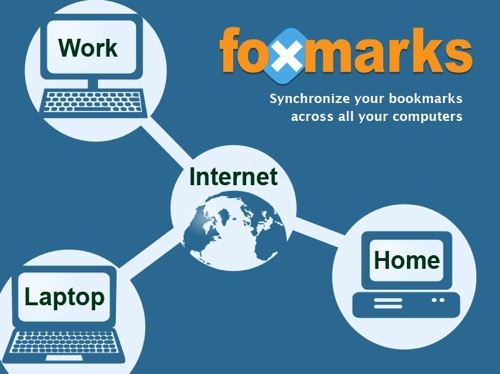
I just started using Foxmarks, a Firefox extension that makes it super easy to synchronize bookmarks between multiple computers. I was able to set it up in a few minutes, syncing my bookmarks with all of my computers, both Mac and Windows.

They recently introduced sync profiles, allowing you to separate your home and work bookmarks. You can also access you bookmarks online at my.foxmarks.com.

Previously I was using Google Browser Sync, but Google recently announced that they will be discontinuing the service, so it was time to look for another option.

Another bookmark syncing service I’ve been exploring is Weave from Mozilla Labs. They recently released prototype version 0.2, but it is really slow and according to their website they are maxed out and no longer taking registrations. I’m going to keep my eye on Weave since it has potential, but for now Foxmarks does the trick.

UPDATE: Foxmarks has added bookmark syncing for Safari and Internet Explorer.

via Lifehacker

Here Are A Few Related Posts You Might Enjoy:

Firefox: Gimme All Your Cache

TwitBin, A Firefox Extension For Twitter

SpellBound Firefox Spellchecker

Firefox 2

Firefox, Happy 20,000,000!

filed under Software

{ 3 comments… read them below or add one }

1 frozeno July 8, 2008 at 5:31 pm

Using Weave at the moment (signed up recently, so I must've snuck in at the last second). It definitely looks promising. Once they get the performance and stability issues sorted out, it should overtake the alternatives. Fairly flexible so far, fully encrypted, etc.

Not sure when they plan on updating it, but I definitely recommend checking it out once you get another chance.

Reply

2 amberella July 9, 2008 at 9:30 am

I used to use Foxmarks, then switched to GMarks and finally onto Weave. I can't say I've been that impressed (yet), especially with how they're still working things out and so every time I close a browser window I get a “Syncing with Weave” popup that won't go away. Still, it's like, v. 0.2 so I'm holding out. The management interface and tagging system beats Foxmarks to a pulp.

Reply

3 Taff October 1, 2008 at 9:57 am

FoxMarks works fine for storing and updating the bookmarks from one PC but are they overloaded? I cannot get the second to bring up a complete login box. It looks as though their servers are too busy to server the https login page. Has anyone else seen this?

Reply

Leave a Comment

You can use these HTML tags and attributes: <a href="" title=""> <abbr title=""> <acronym title=""> <b> <blockquote cite=""> <cite> <code> <del datetime=""> <em> <i> <q cite=""> <strike> <strong>

Moderation: All comments are manually approved, so if your comment is approved it may take a while for your comment to appear on this blog post.

Irrelevant, obnoxious, trolling, abusive and spam comments will not be approved. Let's keep things civil and on topic. Basically what we are saying, if your comment does not add to the conversation, it will not be approved.

Real Name & Website: For the most part do not post anonymous comments. Please list your real name and provide a link to your website, blog, Twitter account, etc. You know who we are, so we ask the same of you.

Corrections: If you want to point out a typo or correction, please email us instead. Typo or correction comments will not be approved since they are pretty much useless once they are corrected and then only tend to confuse things.

Gravatars: If you would like a Gravatar to show up with your comment? Just sign-up for an account and any comment with your email address will display your Gravatar.

Previous post: MOO Launches New Full-Size Business Cards

Next post: Zombie Garden Sculpture by Alan Dickinson