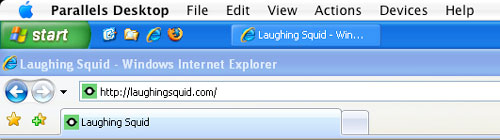
Parallels Desktop for Mac

by Scott Beale on December 22, 2006 · 7 comments

Parallels Desktop for Mac

Parallels Desktop for Mac rocks! I’ve been using it for the last couple of months and it is simply amazing. It is a virtualization program that allows you to run Microsoft Windows on Mac OS X as a virtual machine. It can run several versions of Windows, including the new Vista, as well as other operating systems like Ubuntu, Red Hat, SuSe and FreeBSD.

When it comes to Windows, this is really the best of both worlds for me, since Windows is now running as just another application on my Mac, there when I need it, out of the way when I don’t. If it crashes, no big deal, I just relaunch it, while my Mac remains unaffected. Windows is now much faster and reboots are super quick. Of course it is more secure, since Windows is now contained within a virtual machine. If it becomes infected by a virus/malware or exploited, you don’t have to worry about it affecting your Mac. You can also drag-and-drop between Windows and Mac and the Parallels Tools feature keeps your mouse, clock and clipboard in sync with the two operating systems.

The new beta version of Parallels includes the amazing Coherence mode which allows you to add Windows applications to your Mac dock and well as command+tab through both Mac and Windows applications. There is also a new Transporter feature that makes it easy to migrate an existing Windows install from your PC to your Mac. Plus you can still use Boot Camp with Parallels, in fact you can create a Windows virtual machine in your Boot Camp partition using Parallels.

Parallels has been a great way to try out Windows-only software like Internet Explorer 7, in fact I’ll often use it for browser compatibility testing when I’m making changes to a website. Those pesky CSS and web standards issues on IE are much easier to sort out now.

It’s so great having everything in the same place, without having to either use a different computer or reboot into Windows. As far as I’m concerned, this is really the best way to run Windows. In fact, I’m in the process of purging my last PC and will be using Apple machines only from now on. Kudos to the Parallels development team. You guys have made my life a much easier and I’m looking forward to seeing what you have in store for us next.


Here Are A Few Related Posts You Might Enjoy:

Facebook Releases New Desktop App

DeskLickr, Flickr Images for Mac Desktop Wallpaper

Hulu Releases Desktop Application

Mobile Desktop Prank at Starbucks by Improv Everywhere

500 XL, Desktop Speakers in the Shape of Giant iPod Earbuds

filed under Apple

{ 3 trackbacks }

Laughing Squid » Microsoft Sent A Free Laptop With Windows Vista
December 26, 2006 at 6:35 pm
Laughing Squid » Update on Windows Vista Laptop Blogger Controversy
December 28, 2006 at 11:02 am
VMware Fusion, Unparalleled Windows Virtualization | Laughing Squid
August 15, 2007 at 10:39 pm

{ 2 comments… read them below or add one }

1 Aditya February 17, 2007 at 3:51 pm

Hi,
I need some information as to Can we run MAC OSX on a Windows platform?
If yes, what software/bootloader to be used for the same.
Will really appreciate your help.
Thanks in advance.

Reply

2 R Titus April 11, 2007 at 11:53 am

Yes, but the real question burning a hole in my macmal/pcmall lease approvalis.

“Can I play World of Warcraft” on it in PC mode?

Reply

Leave a Comment

You can use these HTML tags and attributes: <a href="" title=""> <abbr title=""> <acronym title=""> <b> <blockquote cite=""> <cite> <code> <del datetime=""> <em> <i> <q cite=""> <strike> <strong>

Moderation: All comments are manually approved, so if your comment is approved it may take a while for your comment to appear on this blog post.

Irrelevant, obnoxious, trolling, abusive and spam comments will not be approved. Let's keep things civil and on topic. Basically what we are saying, if your comment does not add to the conversation, it will not be approved.

Real Name & Website: For the most part do not post anonymous comments. Please list your real name and provide a link to your website, blog, Twitter account, etc. You know who we are, so we ask the same of you.

Corrections: If you want to point out a typo or correction, please email us instead. Typo or correction comments will not be approved since they are pretty much useless once they are corrected and then only tend to confuse things.

Gravatars: If you would like a Gravatar to show up with your comment? Just sign-up for an account and any comment with your email address will display your Gravatar.

Previous post: Los Angeles Mormon (LDS) California Temple

Next post: R.I.P. Giant Squid