You Suck at Photoshop Tutorials by Donnie Hoyle

Donnie Hoyle has created a hilarious series of “You Suck at Photoshop” tutorials.
UPDATE 1: There is now a real eBay auction for the ring (from episode #4), the Q & A section is almost as funny as the videos.
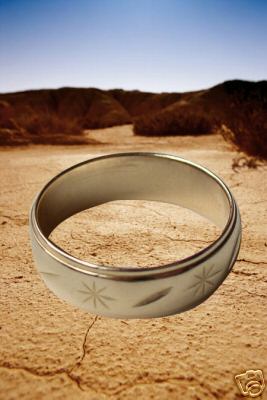
Q: Is it safe to PUG with random elves while wearing this ring?
A: No. This ring requires long-term, health-draining commitment. See your Guildmaster for more info.
Q: How long do the batteries last and is it rechargeable?
A: It uses a “will-sucking” power cell. And, yes, it’s rechargeable.
Q: Does it come with the baren desert?
A: No, I’m selling that metaphor in another auction.
UPDATE 2: Here’s an update from Donnie regarding the eBay auction:
Hi everybody. Looks like eBay has limited my awesomeness by capping off my public responses to your questions. I set up this forum if you’d like to ask any other questions. Sorry!”
UPDATE 3: eBay has removed the auction associated with episode #4.
UPDATE 4: “D0nn1e’s Special Place” is a new video has been posted by sn4tchbuckl3r following Donnie’s disappearance in episode 10. Here’s Donnie’s “hacked” site, which features a Photoshop shrine in honor of Donnie.
UPDATE 5: The creators of You Suck At Photoshop have been unmasked and have launched a new sequel series “Sn4tchbuckl3r’s Second Chance”.
UPDATE 6: After a two month hiatus, You Suck at Photoshop has returned with another episode, #11 Smart Objects.
UPDATE 7: The final episode (#20) is now out and at long last the mystery has been relieved, as many of those in the comments have guessed, Donnie Hoyle is actually comedian Dane Cook or at least that’s what they would like you to think.