LED Digg Button Kit by Adafruit Industries

by Scott Beale on April 26, 2007 · 3 comments

Digg Button Kit v1.0

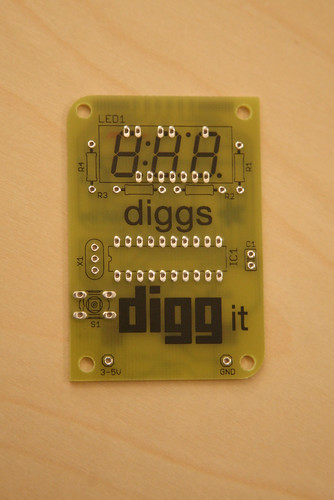
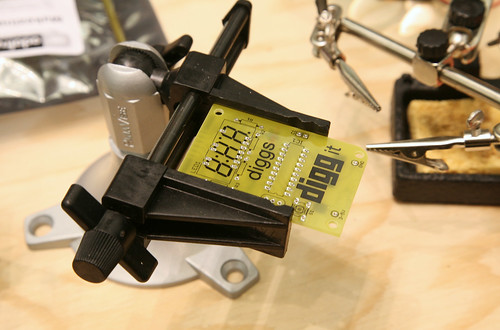
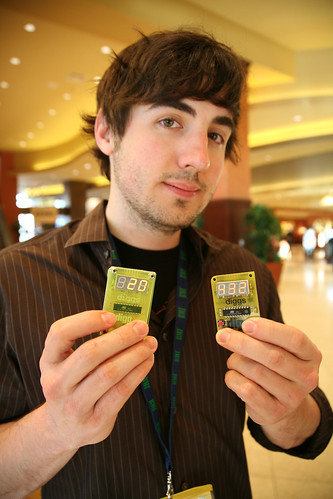
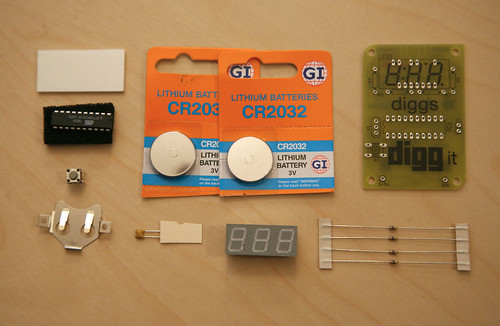
Last Thursday at the Digg Million User Celebration, Ladyada of Adafruit Industries and Phillip Torrone (Make Magazine) debuted their new, open source Digg Button Kits (v1.0). The kits contain multiple components that when soldered together create are really cool manual LED Digg Button that you can digg up to 999 and then reset back to 0. Who knows, maybe someone will be able to configure these to work with the new Digg API.
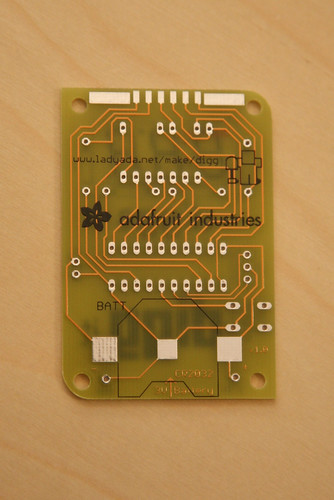
Digg Button Kit v1.0

Digg Button Kit v1.0

Digg Button Kit v1.0

SXSW 2007

The kits help teach people beginner electronics, including soldering and programing microcontrollers. Adafruit Industries have even setup some new hacks, mods and projects for the Digg Buttons and they are selling the kits for $15 each, with $1 of each purchase being donated to the Electronic Frontier Foundation.
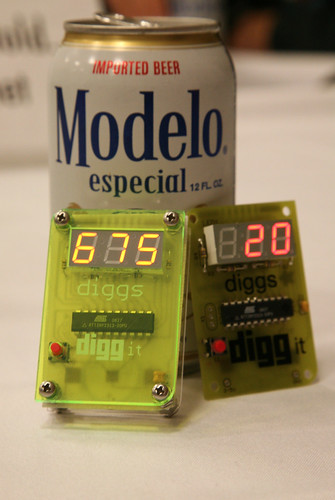
Digg Button

digg it

Kevin Rose Diggs It

The Digg kit was created when Phillip Torrone (Makezine.com), Kevin Rose (Digg.com) and (Ladyada) met up for a drink. We thought it might be interesting to inspire the next generation of technologists and hobbyists who frequent Digg with a fun and easy project that not only teaches but is a lot of fun.

photo credit: Scott Beale

Here Are A Few Related Posts You Might Enjoy:

Learning Electronics Merit Badges From Adafruit Industries

Digg Million User Celebration & Digg API Announcement

Digg Town Hall Live Monday (2/25) at 6PM PST/9PM EST

Digg, User Submitted Tech Stories

MakerBot Industries Launches With Cupcake Frosting Robot

filed under Open Source

{ 1 trackback }

Boton Electronico de Digg - Confusion is next
April 26, 2007 at 6:47 pm

{ 1 comment… read it below or add one }

1 Chris Mears April 26, 2007 at 2:39 pm

I got one of these at the Digg User Celebration. I’ve never done this type of thing before (i.e. a soldering project). Went to my local Radioshack to buy a soldering iron, solder, 3rd arm and magifying glass, and de-solder sucker (which I never used, but glad I got just in case). Ran me about $35.

The process was REALLY easy (worked on my first try!) and a lot of fun. I am quite glad I got this and looking forward to doing more similar projects. Maybe mod my Xbox (original, not the 360) since it seems to be obsolete now anyway.

Reply

Leave a Comment

You can use these HTML tags and attributes: <a href="" title=""> <abbr title=""> <acronym title=""> <b> <blockquote cite=""> <cite> <code> <del datetime=""> <em> <i> <q cite=""> <strike> <strong>

Moderation: All comments are manually approved, so if your comment is approved it may take a while for your comment to appear on this blog post.

Irrelevant, obnoxious, trolling, abusive and spam comments will not be approved. Let's keep things civil and on topic. Basically what we are saying, if your comment does not add to the conversation, it will not be approved.

Real Name & Website: For the most part do not post anonymous comments. Please list your real name and provide a link to your website, blog, Twitter account, etc. You know who we are, so we ask the same of you.

Corrections: If you want to point out a typo or correction, please email us instead. Typo or correction comments will not be approved since they are pretty much useless once they are corrected and then only tend to confuse things.

Gravatars: If you would like a Gravatar to show up with your comment? Just sign-up for an account and any comment with your email address will display your Gravatar.

Previous post: ACCRC Re-Make, 24 Hours of Rebuilding & Re-Engineering

Next post: Laughing Squid: Paradise Lost, July 28th 2007