Drobo, A Multi-Drive Autonomous Data Storage Robot

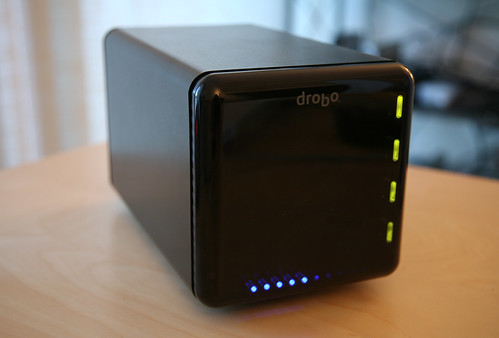
I ran into Jeremy Toeman and Mehrshad Mansouri recently and they asked me if I wanted to try out a new external storage device that one of their clients produces (Jeremy and Mehrshad are part of a new, as yet unnamed consulting company that does marking for tech companies). With all of my video and photos, I’m always looking good storage solutions, so not long after I talked to them, they dropped-off a Drobo, a really cool new multi-drive autonomous “storage robot” by Data Robotics.
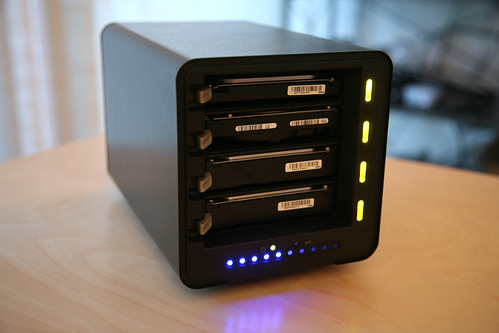
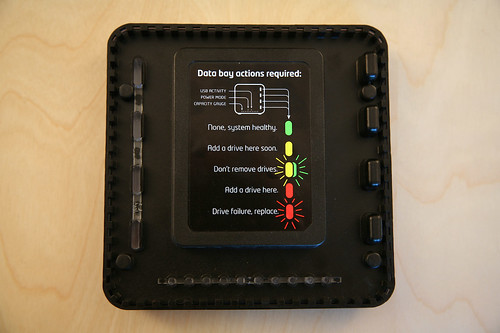
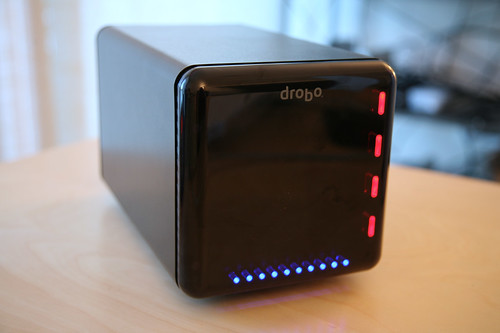
It’s pretty amazing device. It can take up to four 3.5 inch SATA hard drives, any size, and then will automatically create a storage array from the drives, up to 2TB (you can use their Drobolator to calculate Drobo capacity), without the complexity of building a RAID. If one drive fails, just hot swap it out with a new drive and it will automatically be detected and the array will rebuild itself. The setup was super easy. I just inserted four drives they provided for testing, plugged in the power and USB and after it initialized, I formatted the drive using Mac’s Disk Utility and it was up in running in a matter of minutes. The Drobo works for both Windows and Mac, using USB 2.0 and once mounted, the computer will see it as one large drive. It uses a series of traffic signal LED’s to show drive health and capacity.
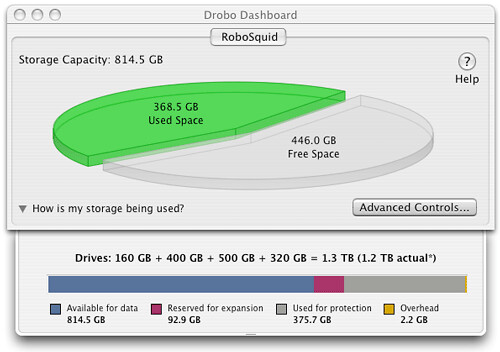
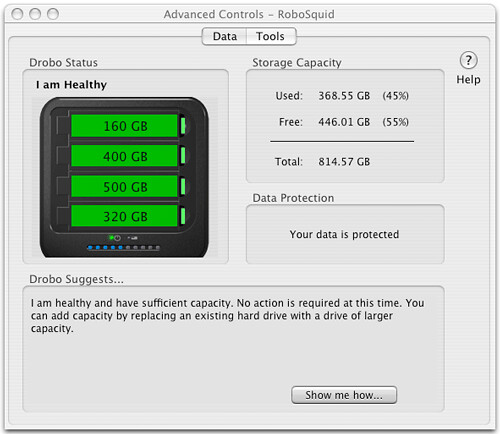
The Drobo also ships with Drobo Dashboard, a cool program that shows how much space is being used as well as how it is being used. It also has built-in SMART to show the heath of your drives and there is even way to make your Drobo’s LED’s blink just for kicks.

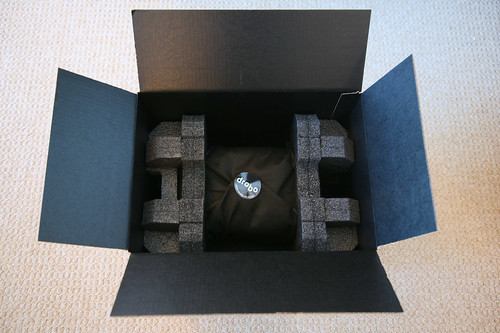
Of course like many objects of geek desire, like Apple products, a lot of thought went into the packaging of the Drobo as well. Here are some photos I shot of the unboxing of my Drobo.
Thomas Hawk has been testing out a Drobo as well and Robert Scoble recently interviewed Data Robotics’ director of marketing Jim Schaff and CEO and co-founder Geoff Barrall for the ScobleShow.
photo by Scott Beale