Creating A Custom iPhone Webclip Icon For Your Website

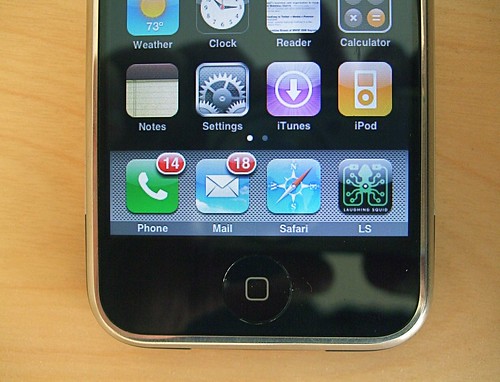
With the recent release of iPhone firmware 1.1.3 comes the ability to customize your home screen, including adding webclip icons from websites. It’s pretty easy to make one for your own website/blog and the process is similar to setting up a favicon. It’s basically three steps. You just need to create a 57×57 png file, name it apple-touch-icon.png and upload it to your home directory. Safari will take care of all of the fancy graphics like rounding the corners and added a glassy highlight effect.
Dan Dickinson has an excellent write-up on how to create a iPhone webclip icons.
I was able to easily create a custom iPhone webclip icon for Laughing Squid. I had to adjust the logo first because of cropping and I went with the suggestion of using a 158×158 image for higher resolution. Now if you visit laughingsquid.com on your iPhone, select the “+” option and then “Add to Home Screen”, a nice custom Laughing Squid icon will appear.
via Jon Hicks
photo by Scott Beale