ShareThis, Making It Easy To Share or Send Blog Posts

by Scott Beale on January 23, 2008 · 6 comments

ShareThis

I’ve just updated Laughing Squid to include the ShareThis service using the ShareThis WordPress plugin. Now at the bottom of each post you’ll see a small ShareThis button and link that looks like this:

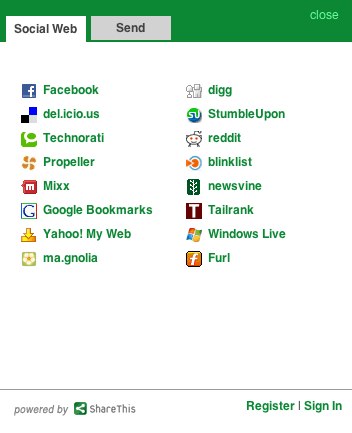
Clicking it launches a popup window that makes it easy for Laughing Squid readers to share posts on various social networks and bookmarking services like Digg, StumbleUpon, del.icio.us, Facebook, Technorati, Reddit, Tailrank, Ma.gnolia and others or to send directly to people via email, AIM, SMS, MySpace and Facebook.

Also the ShareThis icon is an nice green, so it perfectly matches our design.

For more on ShareThis, check out Eric Eldon’s recent post on VentureBeat.

Related Posts:

Laughing Squid Blog Posts Via Email

Deadpan Inc., Blog Posts In The Form Of Dialog-Driven Animation

The Making of the Logo For Phil Bronstein’s New Blog

EFF Fundraiser & Pay To Send Email Debate

YARPP, Yet Another Related Posts Plugin For WordPress

filed under Blogs, Laughing Squid

{ 3 comments… read them below or add one }

1 Karen Merz January 23, 2008 at 10:20 am

Thank you for sharing this service! It’s great and I am going to start using it as well!

Reply

2 Bryan Costales January 23, 2008 at 11:43 am

Your tool for sharing does not recognize a plus character as legal in the user part of an email address. The plus is legal in that part of an address and should be allowed. Please see RFC2822.

Reply

3 Mark April 20, 2008 at 1:51 pm

Add to Any is better than Share This

http://www.addtoany.com/buttons/

Reply

Leave a Comment

You can use these HTML tags and attributes: <a href="" title=""> <abbr title=""> <acronym title=""> <b> <blockquote cite=""> <cite> <code> <del datetime=""> <em> <i> <q cite=""> <strike> <strong>

Please read our Comment Guidelines before leaving a comment:

Moderation: Because of comment spam issues, all comments are manually approved, so if your comment is approved it may take a while for your comment to appear on this blog post.

Name & Website Required: Due to rampant abuse, we are no longer posting anonymous comments. Please list your real name and provide a link to your website. If you don't have a website, then use a link to your account on Twitter, Flickr or some other form of web presence. With very few exceptions, comments that do not refernce include an actual name or url will not be approved.

Also when we ask for your name we mean your actual name, not Discount Car Products or some other attempt at spam or lame SEO.

Be Civil: Irrelevant, obnoxious or abusive comments will not be approved. Let's keep things civil and on topic. Basically what we are saying, if your comment does not add to the conversation, it will not be approved.

Spam: Spam comments in any form will not be approved. We also do not approve comments that left for the sole purpose of posting a link.

Corrections: If you want to point out a typo or correction, please email us instead. Typo or correction comments will not be approved since they are pretty much useless once they are corrected and then only tend to confuse things.

Gravatars: If you would like a Gravatar to show up with your comment? Just sign-up for an account and any comment with your email address will display your Gravatar.

Previous post: MacHeads The Movie, A Documentary About Apple Fanatics

Next post: Laughing Squid Vendors, Products and Services We Use