Facebook Releases New Desktop App

by Scott Beale on April 29, 2009 · 6 comments

Facebook Desktop App

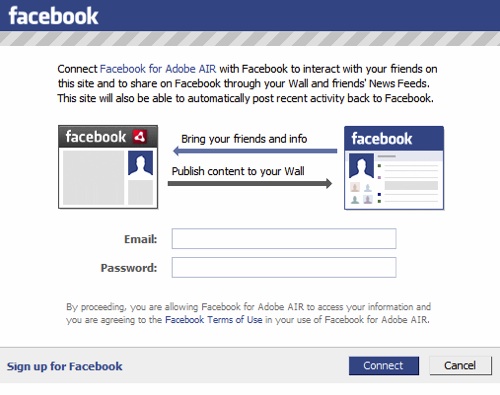
Facebook recently released a slick new desktop app that runs on Adobe Air with a built-in auto refresh feature. Along with updating your status, can also “Like” and comment on your friends updates right from the app, which will ultimately lead to much more interactivity. Right on, one less service I need to log into for updates.

I currently have the Facebook app sitting next to Tweetie for Mac on my desktop, it’s is like having a 2nd chance seeing the all stuff you miss on Twitter.

Speaking of desktop apps, Seesmic Desktop will soon be including Fackbook updates along with Twitter, adding another great option to the mix.

Here Are A Few Related Posts You Might Enjoy:

Hulu Releases Desktop Application

Seesmic Desktop Twitter Client Preview Release

Seesmic Web, An Online Version of The Seesmic Desktop Twitter Client

Mobile Desktop Prank at Starbucks by Improv Everywhere

Facebook Has Acquired FriendFeed

filed under Facebook

{ 6 comments… read them below or add one }

1 Dave Schumaker April 29, 2009 at 11:15 pm

Nice! Too bad it’s an AIR app though. Those things are just killing my system. What was it that Loren from Atebits said recently? (Can’t find the actual Tweet though, weird!)

“AIR apps are like modern day Java applets… sure, they run on every platform. But they also suck on every platform.”

Reply

2 paul April 30, 2009 at 8:05 am

I gave it a try, but it’s a huge resource hog (on my Mac). I saw my processor usage go way up, with nothing else running.

Reply

3 Scott Beale April 30, 2009 at 8:20 am

Yikes, you’re right. I left it running overnight on my Mac and it’s now consuming 1.78GB of RAM. Oh well it was a good idea. Sounds like they need to ditch AIR and work on a native app.

Reply

4 Michael Kupietz April 30, 2009 at 11:39 am

What are the advantages of using a desktop app rather than just keeping a firefox window open with an auto-refresh? (Not being critical, legitimately asking, since you’ve been using it.)

Reply

5 Scott Beale April 30, 2009 at 11:45 am

Well everyone has different ways they like to access info, I have way too many tabs open to use your method. Why not just download it an test it out?

Reply

6 fletch April 30, 2009 at 11:41 pm

I’ve been using EventBox (OS X) for a week or so for both Twitter and Facebook. It’s definitely rough around the edges, but it is beta. It doesn’t have as much interactivity as the Facebook AIR app (no comments, for examle), but all I really want out of it is a “feed” viewer, and it does that well. Plus, it’s native, so it can do things like show new updates via Growl.

Reply

Leave a Comment

You can use these HTML tags and attributes: <a href="" title=""> <abbr title=""> <acronym title=""> <b> <blockquote cite=""> <cite> <code> <del datetime=""> <em> <i> <q cite=""> <strike> <strong>

Moderation: All comments are manually approved, so if your comment is approved it may take a while for your comment to appear on this blog post.

Irrelevant, obnoxious, trolling, abusive and spam comments will not be approved. Let's keep things civil and on topic. Basically what we are saying, if your comment does not add to the conversation, it will not be approved.

Real Name & Website: For the most part do not post anonymous comments. Please list your real name and provide a link to your website, blog, Twitter account, etc. You know who we are, so we ask the same of you.

Corrections: If you want to point out a typo or correction, please email us instead. Typo or correction comments will not be approved since they are pretty much useless once they are corrected and then only tend to confuse things.

Gravatars: If you would like a Gravatar to show up with your comment? Just sign-up for an account and any comment with your email address will display your Gravatar.

Previous post: Here Come the Dinosaurs by Paul and Storm

Next post: The True Origins of Superman Revealed